Tower cranes on a construction site at dusk
Feature library

Every feature you need to run an inspection business

Equipment registers, mobile inspections, scheduling, workflows, certificates, client portals, integrations, billing — all in one platform purpose-built for lifting, rigging, and height safety.

Get a quote
150+
Configurable settings
iOS & Android
Native mobile apps
10M+
Inspections recorded
10+
Years in operation

Every asset, organised.

Equipment Register

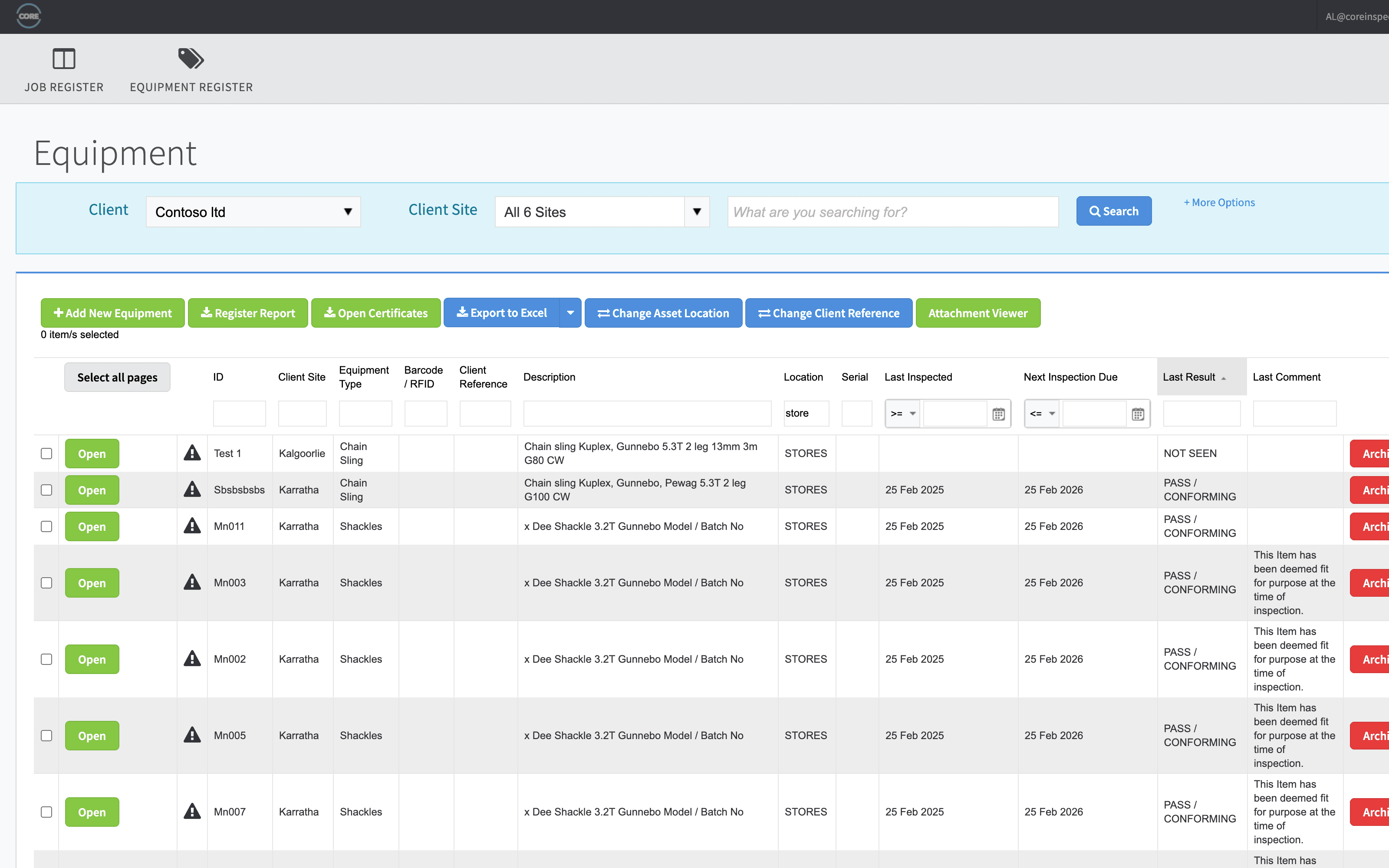
A live, searchable register of every piece of equipment your team or clients are responsible for — slings, harnesses, cranes, hoists, vehicles, fixed plant. Hierarchical structure, custom attributes by type, and full inspection history at a glance.

Hierarchical organisation

Group equipment by type, branch, area, zone, or custom category. Drill down from a fleet view to a single asset in two clicks.

Custom fields per equipment type

Capture exactly what matters for chains, harnesses, cranes, vehicles or fixed plant — different fields per type, no clutter.

RFID, barcode & QR scanning

Tag and identify any asset from the field. Scan to open, scan to inspect, scan to view history.

Full audit history

Every inspection, change, photo, signature and document attached to an asset, retained indefinitely.

Bulk import & export

Onboard a 10,000-item register from a spreadsheet. Export filtered registers to PDF or Excel for clients on demand.

Hire & rental tracking

Track which assets are out, with whom, since when. Pull utilisation and revenue reports per unit, per branch.
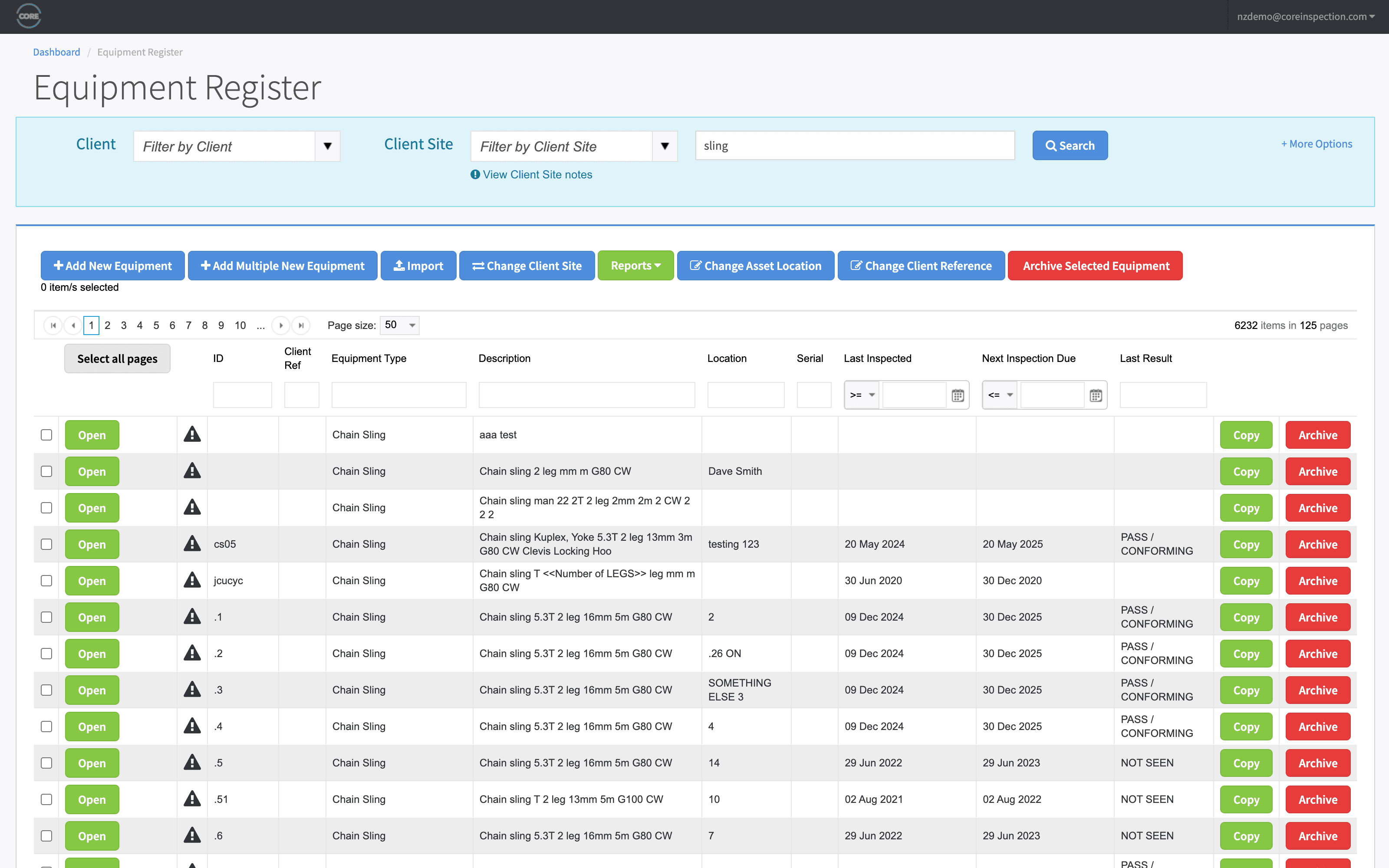
app.coreinspection.com
Equipment register showing equipment list with serial numbers, status, next inspection due, and client assignment
Equipment register — live status, due dates, and full history per asset

Designed for one hand and a hi-vis glove.

Field Inspections

Native iOS and Android apps purpose-built for inspection work. Inspect dozens of items in a session, capture photos and signatures, work in the basement of a steel mill — sync the moment you're back online.

Fully offline-first

Inspect without signal. Data is captured locally and syncs automatically when you're back in coverage — no lost work.

Multi-inspect mode

Run a whole rack of slings or a fleet of harnesses through a single workflow. One scan, one decision, on to the next.

Pass/fail or detailed component checks

Switch between fast pass/fail and full component-level checks per template — same app, same data model.

Photo capture with annotation

Drop photos in line with each finding. Annotate defects directly on the image so the report tells the story.

Digital signatures

Capture signatures from the technician, supervisor, or client on-device. Stamped onto the certificate automatically.

Predefined comments

Reuse common defect text and observations. Faster data entry, more consistent language across your whole team.

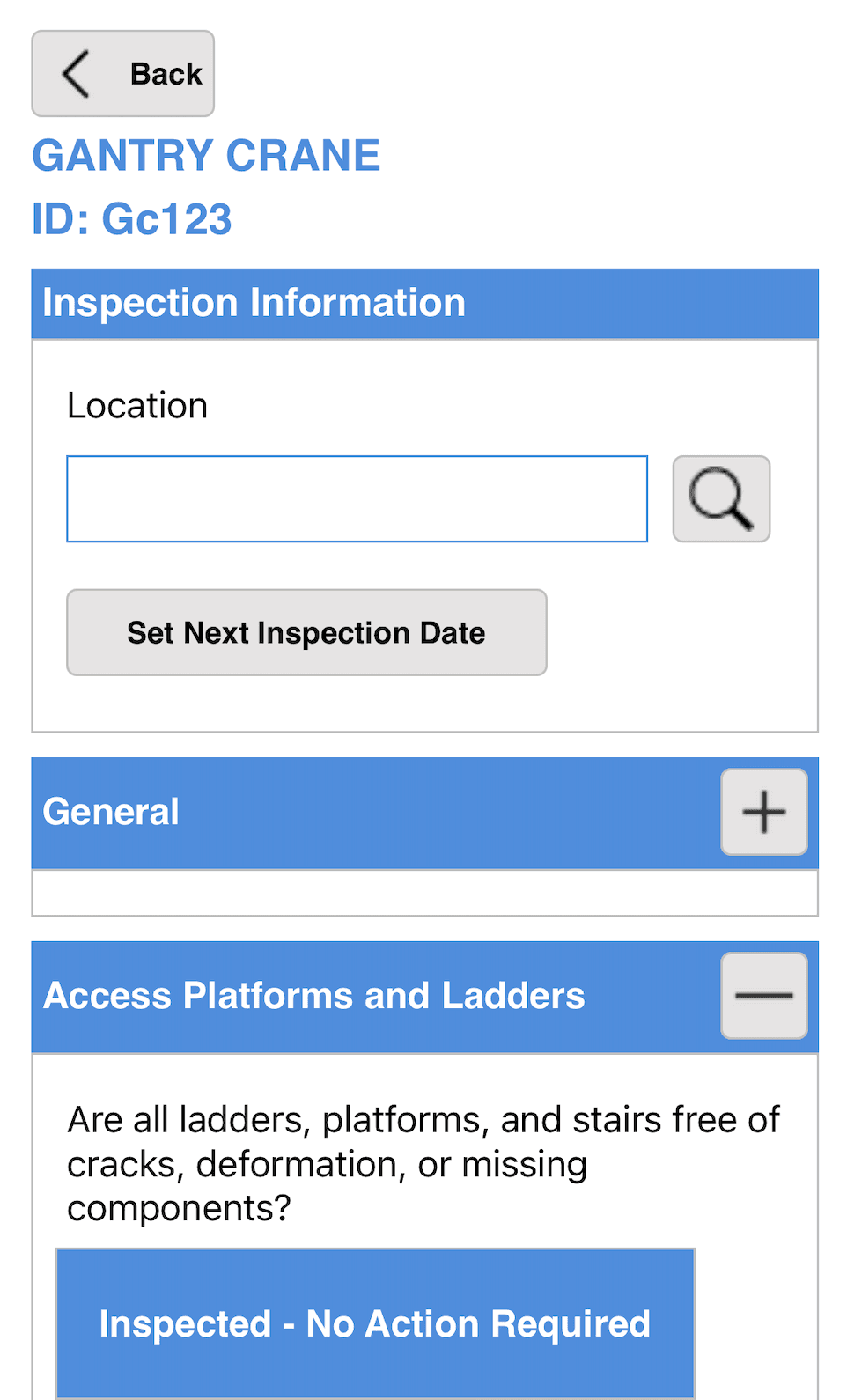
Mobile inspection screen mid-inspection: serial number, pass/fail toggles, photo and comment fields
Mobile inspection — works fully offline

Get the right tech to the right job, every time.

Scheduling & Dispatch

Drag-and-drop scheduling, conflict detection, automatic reminders, custom dispatch fields, and a separate calendar for hire equipment. Multi-branch teams stay coordinated without spreadsheet fatigue.

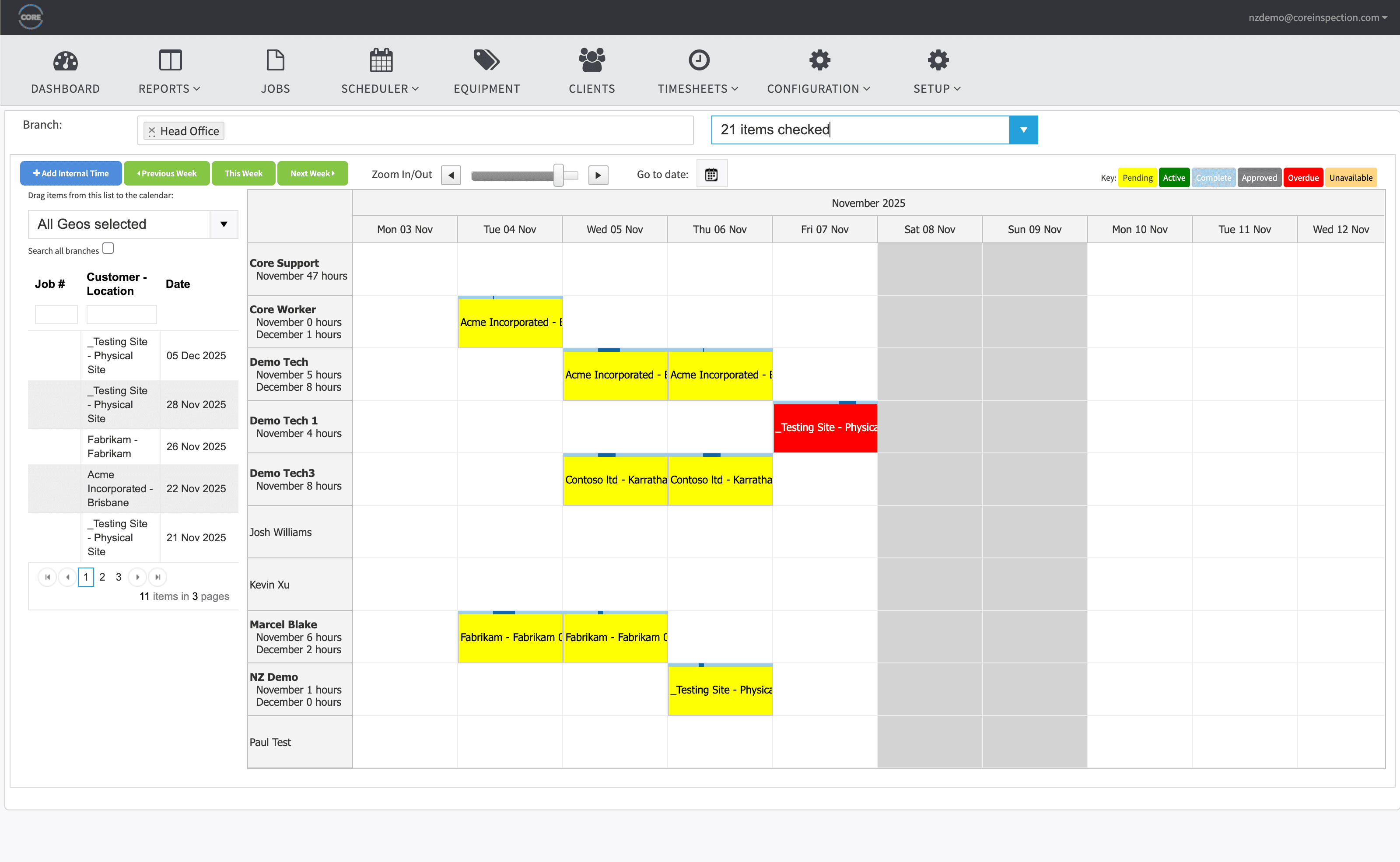
Drag-and-drop calendar

See every job, every tech, every branch on one calendar. Reassign by dragging — conflicts and overlaps flag automatically.

Competencies enforced, not just tracked

Technicians without a current ticket for an inspection type can't be booked onto it. Competency is a scheduling rule, not a spreadsheet column.

Hire equipment scheduling

A dedicated hire schedule with utilisation views, availability, and revenue tracking per unit.

Custom inspection intervals

Override standard intervals per client, per location, or per asset. Statutory minimums are baked in; flexibility is yours.

Automated reminders

Email and SMS nudges to techs ahead of jobs, to clients ahead of due dates, to ops when something slips.

Multi-branch dispatch

Each branch sees its own jobs and team while head office sees the whole picture.

app.coreinspection.com
Weekly schedule view with technicians as rows and jobs as colour-coded blocks
Weekly scheduler with conflict detection across branches

Compliance as a workflow, not a chase.

Workflows & Approvals

Multi-stage approvals before certificates are released, escalation paths when work stalls, and customisable dispatch fields per inspection type. Stop chasing approvals over email — let the system route the work.

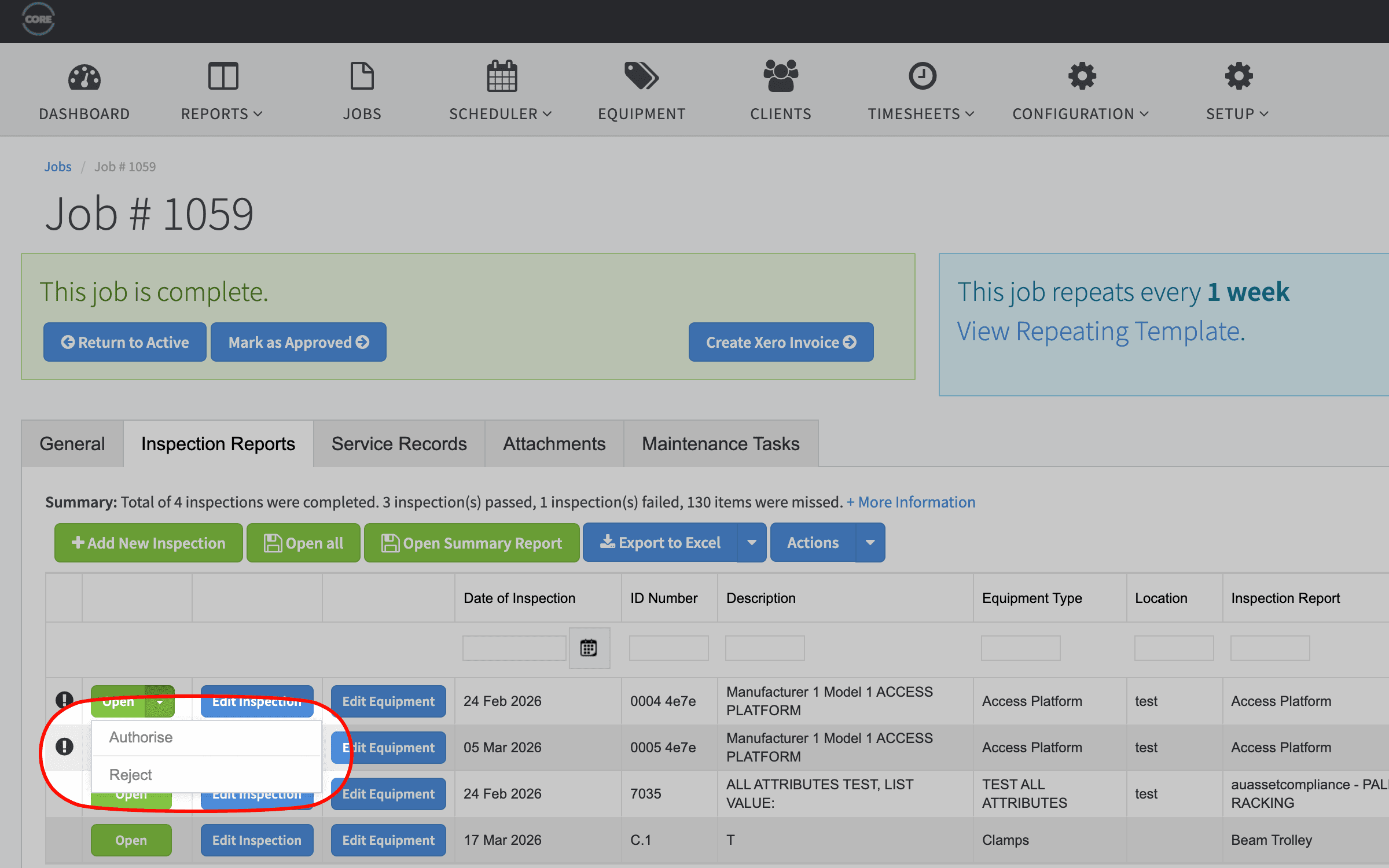
Multi-stage approvals

Route inspections through reviewer and competent-person approval before a certificate is issued. Conditional, configurable, auditable.

Escalation rules

Three-tier escalation when something goes overdue — to the tech, to the supervisor, to operations. With time thresholds you set.

Dispatch templates

Custom fields per inspection type (Field 1–4) so dispatchers always capture the right context for each job.

Overdue tracking

Three configurable overdue triggers — pre-due, due, and overdue — each with their own email templates and recipients.

Mandatory job linkage

Optional rule that no inspection can happen outside a job — for clean billing, clean reporting, and a clean audit trail.

Failed certificate suppression

Failed inspections can suppress automatic certificate issue and route to a manual review queue instead.

app.coreinspection.com
Approval workflow view showing inspection ready for review with reviewer, due date, and escalation status
Approval workflow with time-based escalation

Documents your customers actually want.

Reports & Certificates

Branded PDF and DOCX certificates generated from custom templates per site. Equipment registers, technician performance, hire utilisation, overdue lists, job forecasts. Schedule any report by email.

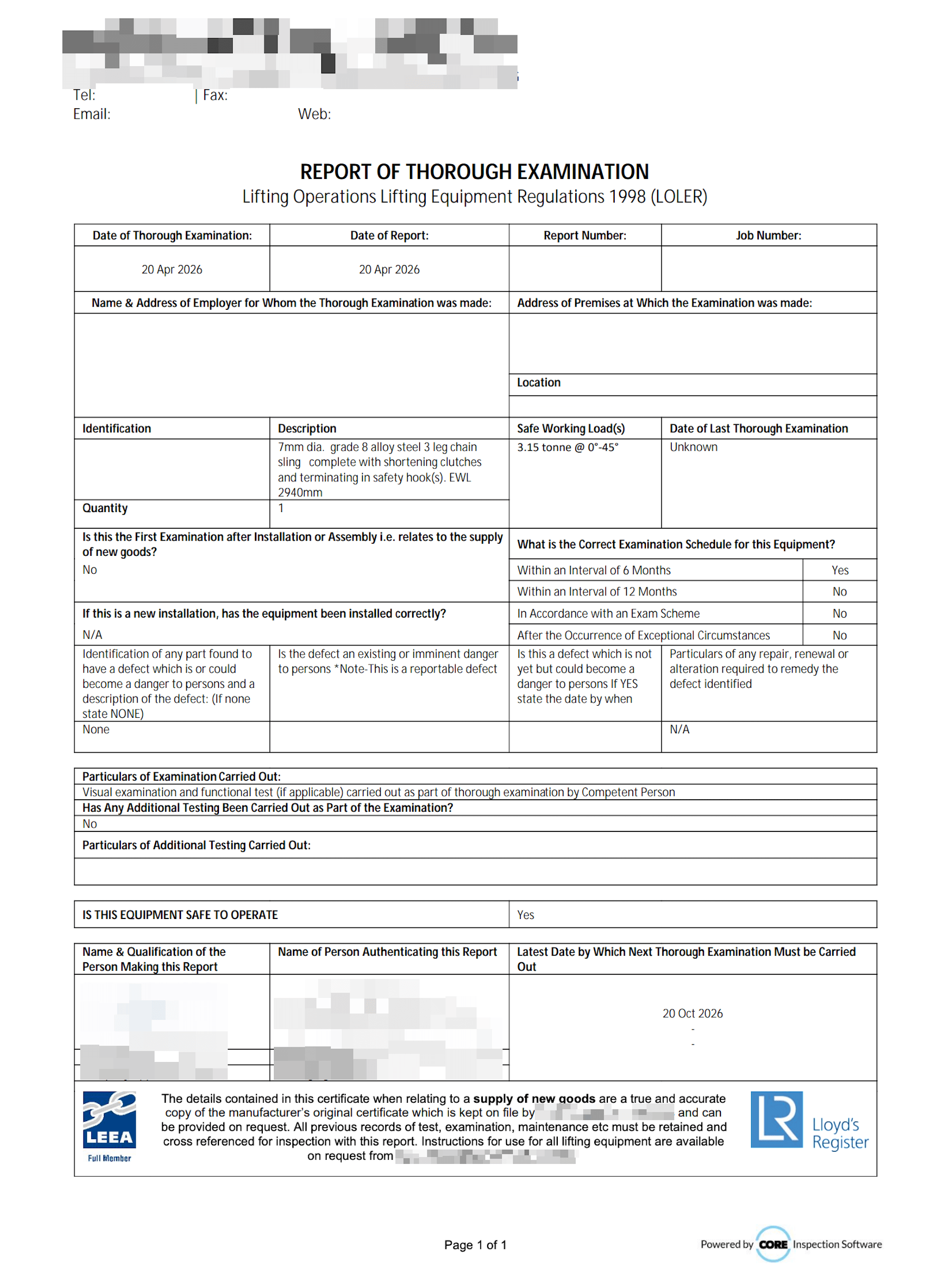
Custom certificate templates

Use your DOCX layout, your branding, your logos, your wording. We render the data; you control the document.

Equipment registers

Generate full registers — by client, by location, by status — to PDF or Excel. Multi-tab workbooks supported.

Built-in analytics

Job forecast, overdue equipment, technician pass/fail rates, hire utilisation, revenue per branch — out of the box.

Scheduled email reports

Cron any report (monthly, weekly, custom). Auto-send to clients, branch managers, or stakeholders.

One PDF pack per job

Your customer gets a single branded PDF — register, certificates, and signoffs in order — not 50 separate files to chase. Batch email hundreds at once.

Photos & signatures embedded

Inspection photos and signatures flow into the certificate automatically, in the layout you specify.

Sample LOLER certificate of thorough examination with company branding, equipment details, and signatures
Branded LOLER certificate — fully customisable per site

Give your customers self-service — with your branding.

Client Portal & Multi-Tenant

A white-labelled portal where your customers see their equipment, their certificates, their inspection history. Unlimited customer logins included on every plan — no per-seat portal fees. Reduces support load, looks professional, and turns documentation into a retention feature.

Custom domains

Run the portal on your domain (portal.yourcompany.com) with your logo, colours and branding throughout.

Granular permissions

Per-user permissions on what each client contact can see and download. Multi-site clients can be partitioned.

Self-service certificates

Customers download certificates and registers themselves. Cuts support tickets, looks polished, and builds trust.

Multi-branch isolation

Each branch can have its own branding, reporting and isolation — useful for franchises and acquired sub-brands.

QuickLink shareable URLs

Send a one-time link to any inspection, certificate, or asset record. Recipient doesn't need an account.

Audit trail visible to clients

When clients can verify what was done and when, compliance conversations get a lot shorter.

app.coreinspection.com
Client portal showing the customer's equipment list, recent certificates, and download buttons
White-labelled client portal — your branding, their equipment

Plug Core into the rest of your stack.

Integrations & API

Native Xero accounting sync and Microsoft 365 calendar sync. A token-authenticated data API for pulling equipment, inspection, and report data into other systems. Plus a track record of delivering custom integrations — HubSpot and Hilti ON!Track most recently.

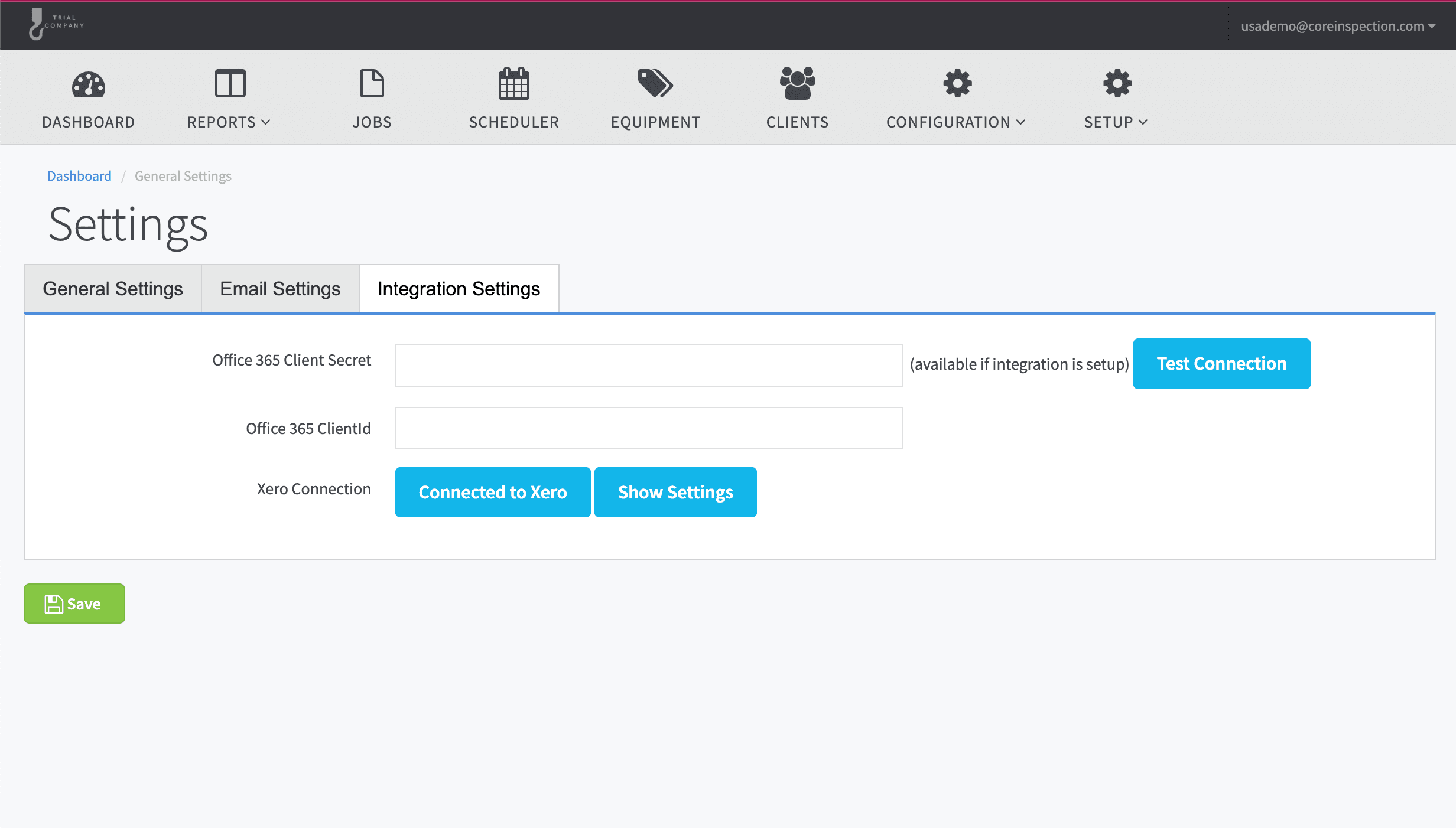
Xero — native

Two-way sync for customers, invoices, and payments via OAuth 2.0. Connect once, set up in minutes, no re-keying.

Microsoft 365 — native

Inspection schedule kept in sync with M365 calendars by a background worker — jobs land in the right diary automatically.

Token-authenticated data API

Pull equipment lists, inspection data, and any custom-defined report into other systems via signed JSON endpoints.

HubSpot — custom-built

Custom integration recently delivered for a customer — sync contacts and companies between Core and HubSpot.

Hilti ON!Track — custom-built

Custom integration recently delivered for a customer — equipment register sync between Core and Hilti ON!Track.

Azure-backed file storage

Certificates, photos, and signatures are stored in Azure with the customer's branding rendered at generation time.

Custom integrations

We've integrated Core with ERPs, IoT systems, and proprietary stacks. If it has an API, it can connect.

app.coreinspection.com
Integrations settings page showing Xero connection and data API tokens
Native Xero integration plus a token-authenticated data API

Run the business, not just the inspections.

Administration & Billing

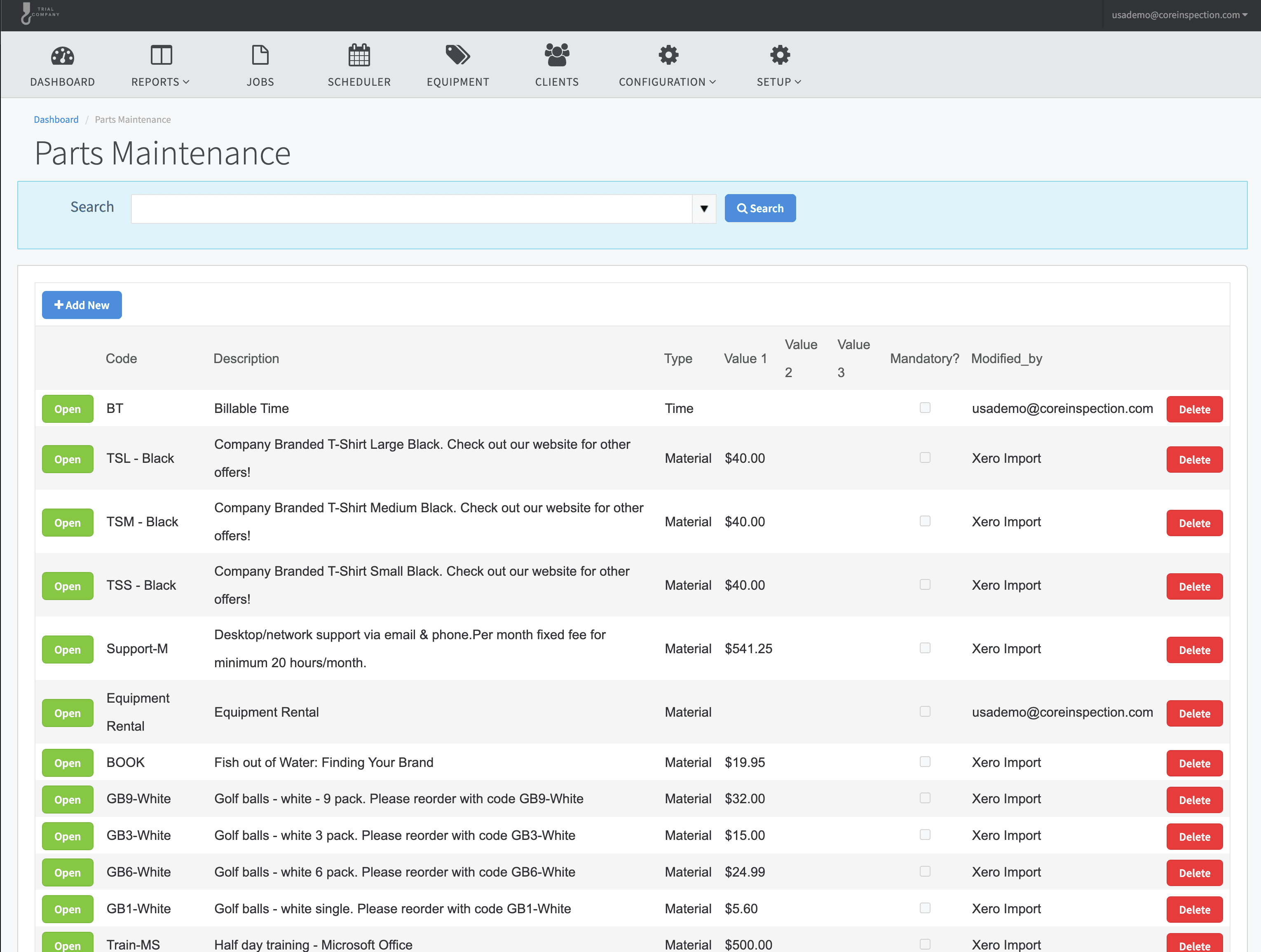
Timesheets, parts, travel and mileage roll into service charges. User and group permissions, settings per tenant, full audit trail. The pieces that turn field work into invoices.

Timesheets

Auto-capture from job check-in/check-out. Approve, adjust, and roll into payroll or billing.

Parts & service charges

Track parts consumed, travel time and mileage per job. Itemised charges flow straight onto the invoice.

User & group permissions

Granular permissions by role. Restrict who can issue certificates, edit equipment, see pricing, view other branches.

150+ configurable settings

Per-tenant configuration of everything from email templates to dispatch fields to label terminology. The platform fits you.

Complete audit trail

Every change tracked — who did what, when, on which record. Compliance-grade, exportable.

Bulk imports & migrations

Import equipment, inspections and history from spreadsheets, paper records, or other systems with our migration tooling.

app.coreinspection.com
Job billing screen showing labour, parts, travel and mileage totals ready for invoicing
Job-to-invoice — labour, parts, travel and mileage in one view
“Core made our report turnaround three times faster while sharply decreasing admin — no more relying on manual methods.”

Aidan Woulfe, Enterprise Applications Lead, Proofload

See how inspection companies run on Core
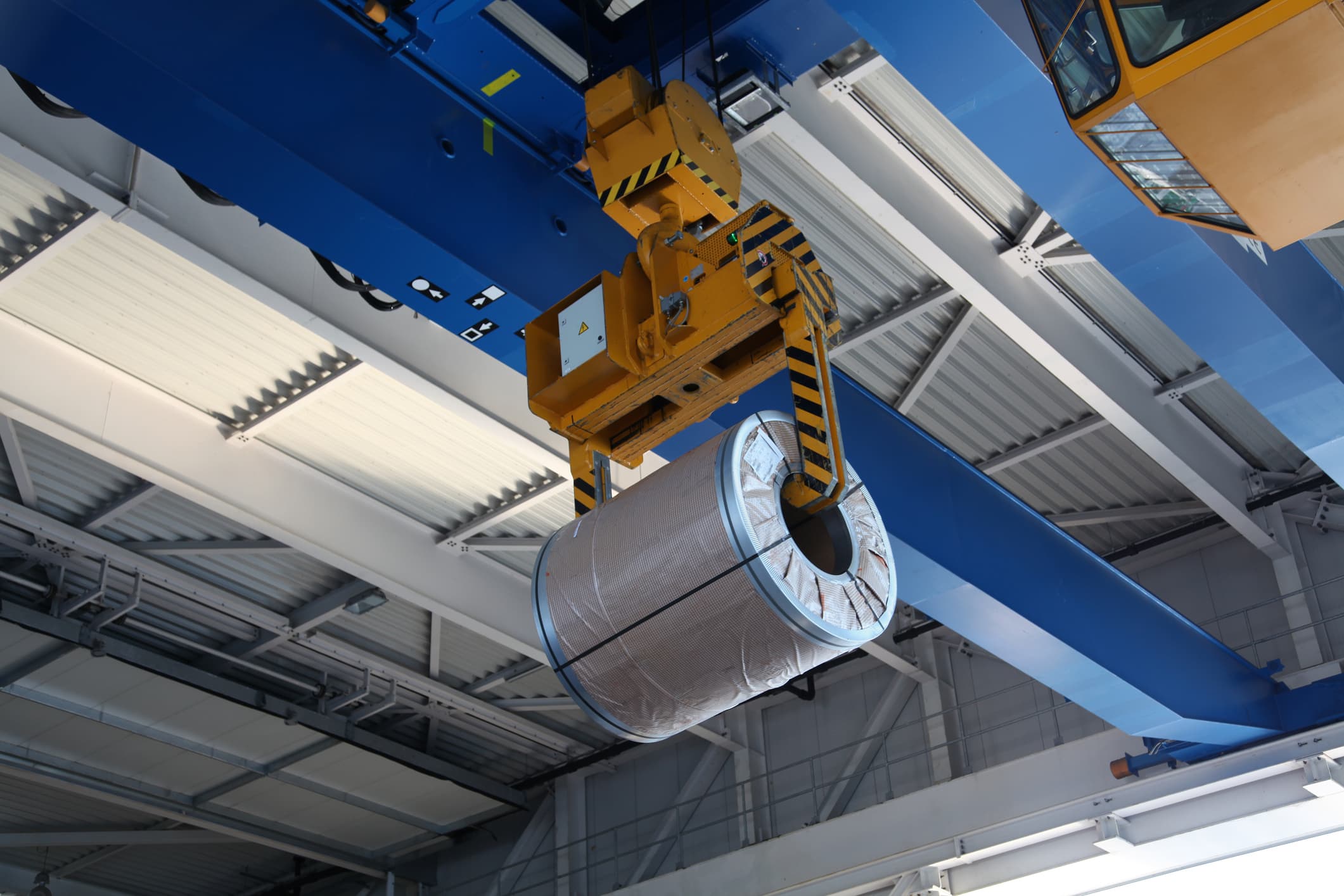
Mechanical overhead crane in an industrial facility

Core vs spreadsheets vs paper

The features inspection companies are switching for.

FeatureCore InspectionSpreadsheetsPaper Forms
Native mobile inspection apps
Offline capability in the field
Drag-and-drop scheduling
Branded PDF certificates from your DOCX template
White-labelled customer portal
Multi-stage approval workflows
Time-based escalation rules
RFID / barcode / QR scanning
Hire equipment utilisation tracking
Photo & signature capture on device
Native Xero & Microsoft 365 sync
Data API and custom-integration delivery
Complete audit trail
Multi-branch with isolated reporting
Bulk certificate emailing
150+ configurable settings per tenant

Full support Partial / manual Not available

Built for your industry, not adapted for it

Core isn't a generic CMMS bolted onto inspection workflows. It's purpose-built for lifting, rigging, height safety, and equipment hire companies — by people who've worked with them for over a decade.

  • LOLER, AS/NZS, ANSI/OSHA standards baked in
  • Designed with input from working inspection companies
  • Scales from solo technicians to enterprise multi-branch teams
  • 10+ years of continuous development and refinement
Worker conducting safety equipment check
Offshore wind turbine — a real-world lifting and inspection environment

See it in action

30-minute demo, walked through with real inspection workflows. No slides. Or run an inspection yourself right now — no signup.