API — Technical Overview and Setup
Start with the Core Inspection REST API: the base URL, which logins can use it, testing credentials in Postman, and the limits of the Swagger endpoint list.
Last updated
The intended audience of this document is technical users that are wanting to implement the Core Inspection API to automate operations or integrate to external systems. An understanding of JSON, API structures and programming is assumed.
Base URL
https://api4.coreinspection.comAlways use HTTPS. The API uses Basic authentication, so the password travels with every request.
Logins
Every endpoint except /HeartBeat and the Swagger pages uses HTTP Basic authentication. The username is the login's email address and the password is its Core password. The login must be active and not locked out.
Give each integration its own API login instead of a staff member's, so the integration keeps working when people leave or change their passwords. Ask Core support (support@coreinspection.com) to set one up. It has the same access as an admin login, so it can read and change all of your site's data. An admin login also works.
Technician (worker), contractor and read-only logins can't use the API and get 401. Customer portal logins only work with the Customer API (see Customer API Calls).
Each login belongs to one site. If an email address is a login on more than one Core site, use a different email address for the API login.
Checking your connection
GET /HeartBeat needs no login. It returns 200 and the server's current time as plain text. That confirms the API is reachable, but it doesn't check your credentials.
To test your credentials, call GET /JobStatuses with Basic authentication:
200with a JSON list means you're in.401means the email or password is wrong, or that type of login can't use the API.
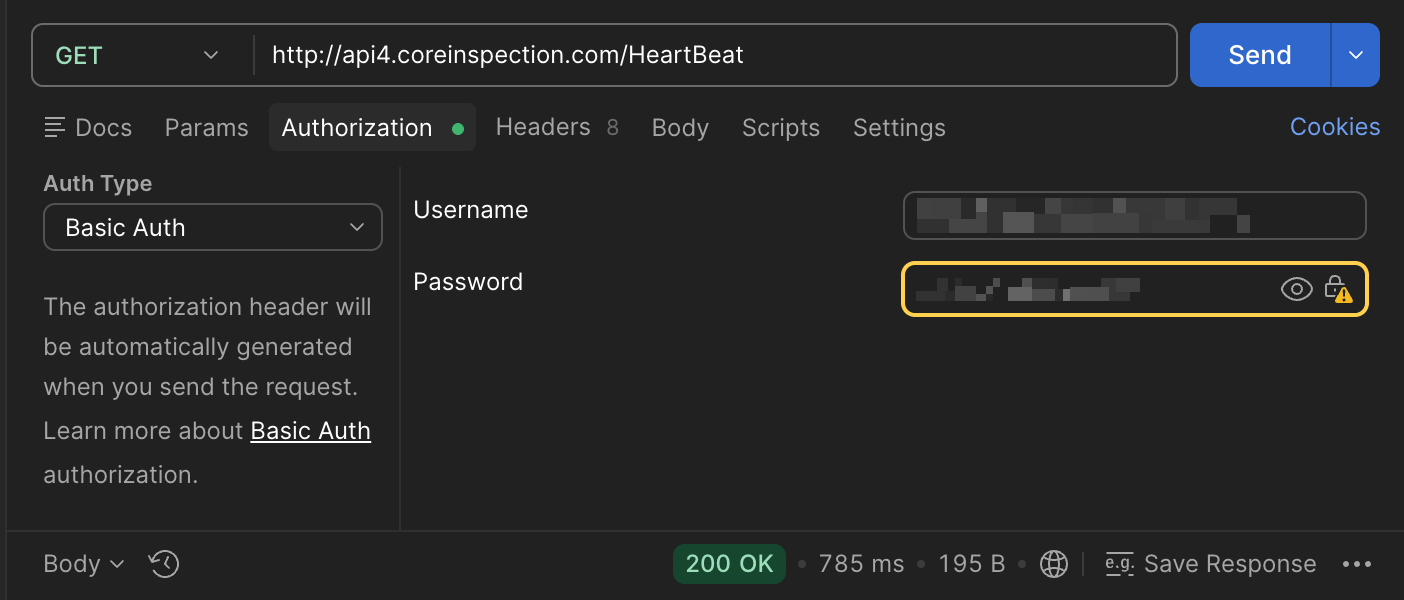
A Basic Auth request to GET /JobStatuses in Postman. 200 OK with the status list means the login works.
Endpoint list (Swagger)
https://api4.coreinspection.com/swagger/ lists every endpoint and its fields. It has three limits:
- It has no login button, so you can't run authenticated calls from it. Use Postman, curl or your own code.
- It marks every query parameter as optional, including the required ones. Specific Methods shows which parameters are required.
- It shows every field name in camelCase. Real responses use camelCase or PascalCase depending on the endpoint, as General Structure explains.
Where next
- General Structure and Principles: response casing, status codes, IDs in URLs, how PUT and PATCH behave, pagination and change tracking.
- Object Definitions: the fields on each object, with which are required, which Core sets and which PATCH can't change.
- Specific Methods: each endpoint's parameters, rules and error messages.
- Customer API Calls: giving one of your customers a feed of their own equipment register.